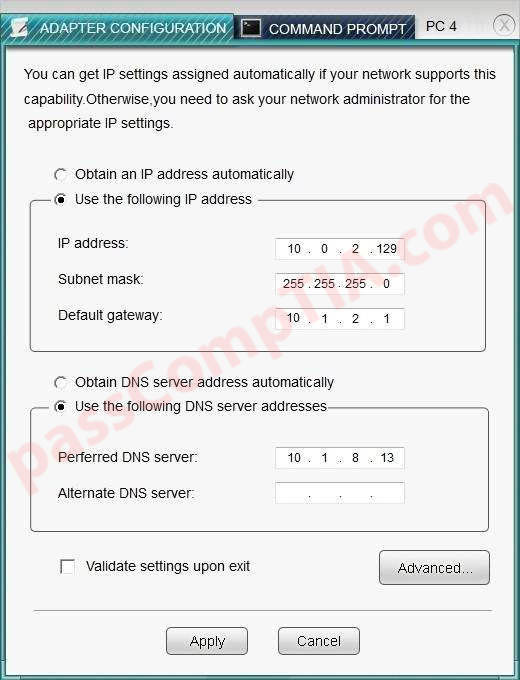
After recent changes to the pictured network, several users are unable to access the servers. Only PC1, PC2, PC3, and PC4 are configurable. You can only change the adapter configurations to each PC.

CompTIA Network+ Simulation 3
After recent changes to the pictured network, several users are unable to access the servers. Only PC1, PC2, PC3, and PC4 are clickable and will give you access to the command prompt and the adapter configuration tabs.
Instructions: Verify the settings by using the command prompt, after making any system changes. Next, restore connectivity by making the appropriate changes to the infrastructure. When you have completed these steps, select the Done button to submit.


CompTIA Network+ Simulation 2
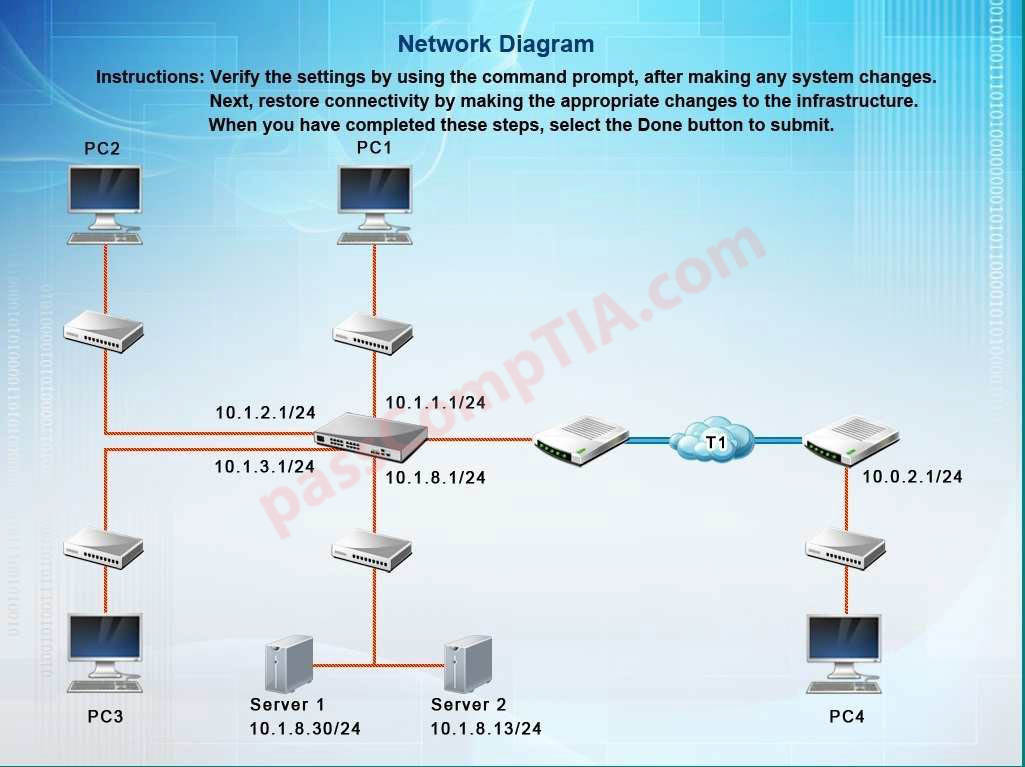
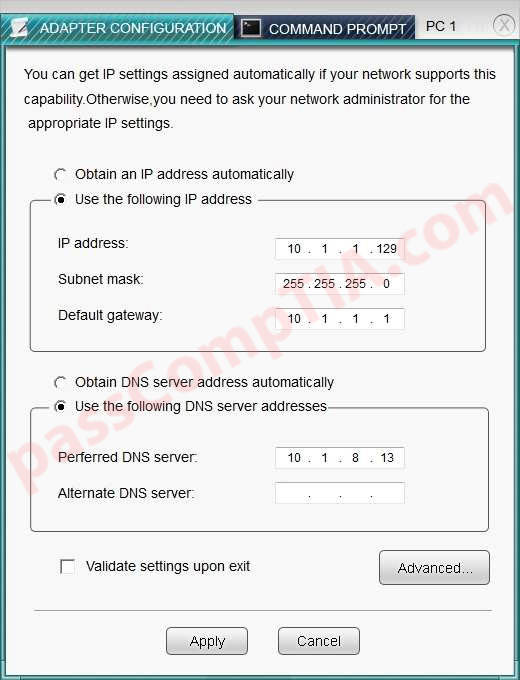
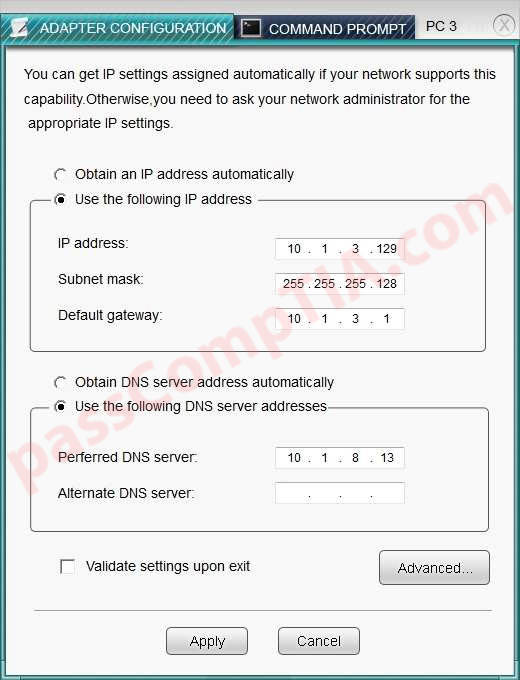
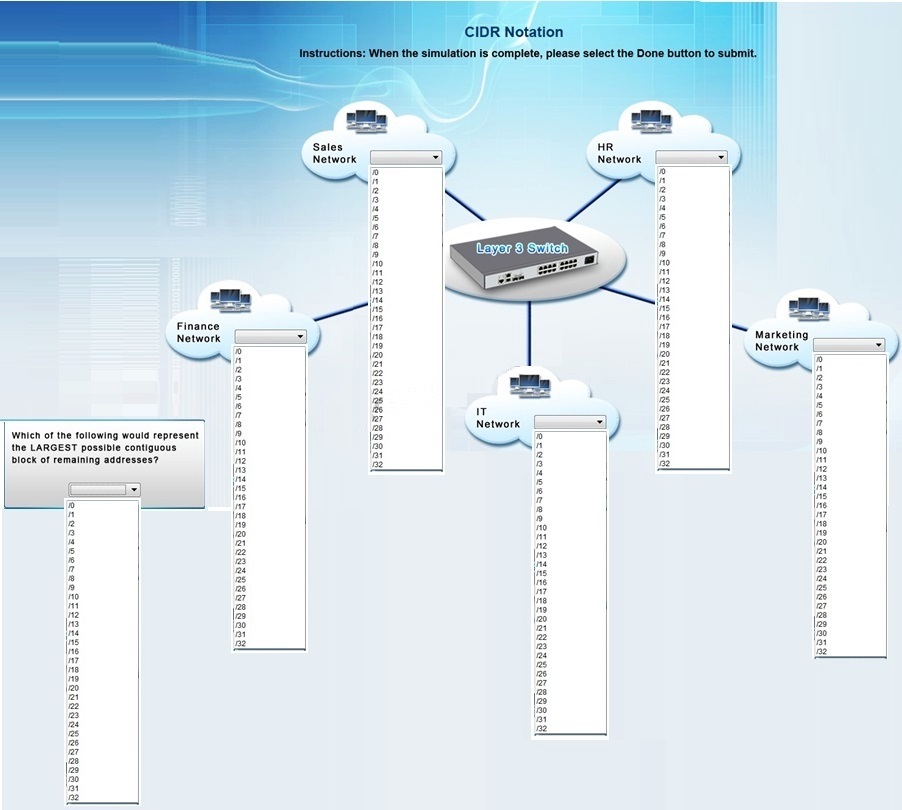
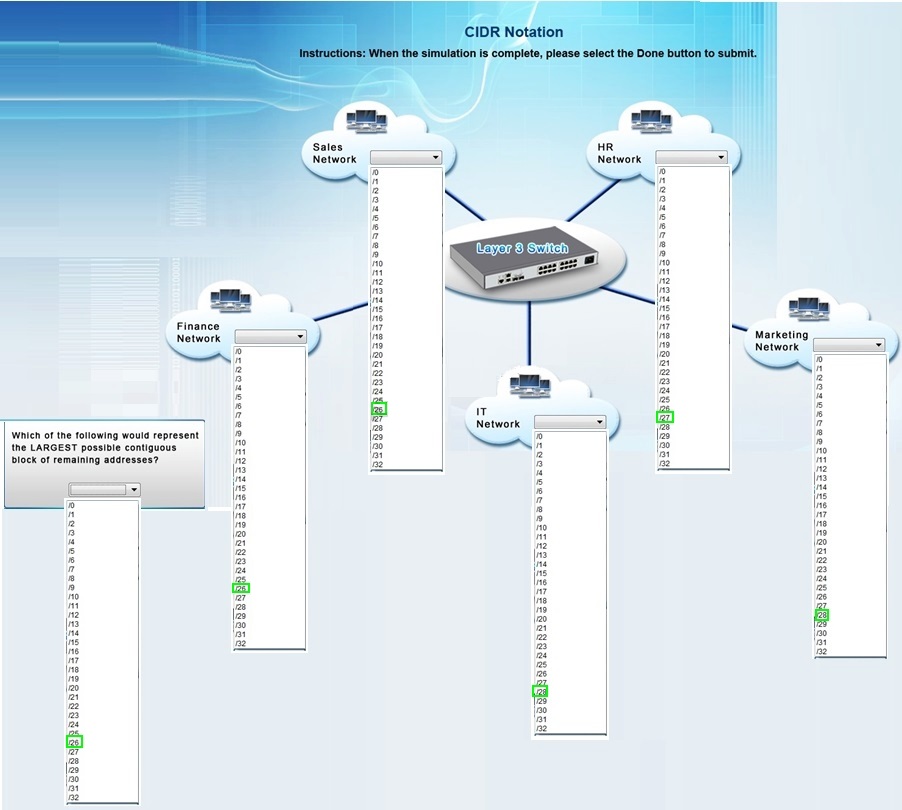
Corporate headquarters provided your office a portion of their class B subnet to use at a new office location. Allocate the minimum number of addresses (using CIDR notation) needed to accommodate each department.
Range Give: 172.30.232.0/24
Sales: 57 devices
HR: 23 devices
IT: 12 devices
Finance: 32 devices
Marketing: 9 devices
After accommodating each department, identify the unused portion of the subnet by responding to the question on the graphic. All drop downs must be filled. Instructions: When the simulation is complete, please select the Done button to submit.
All Networks have the range from /0 to/32
CompTIA Network+ Simulation 1
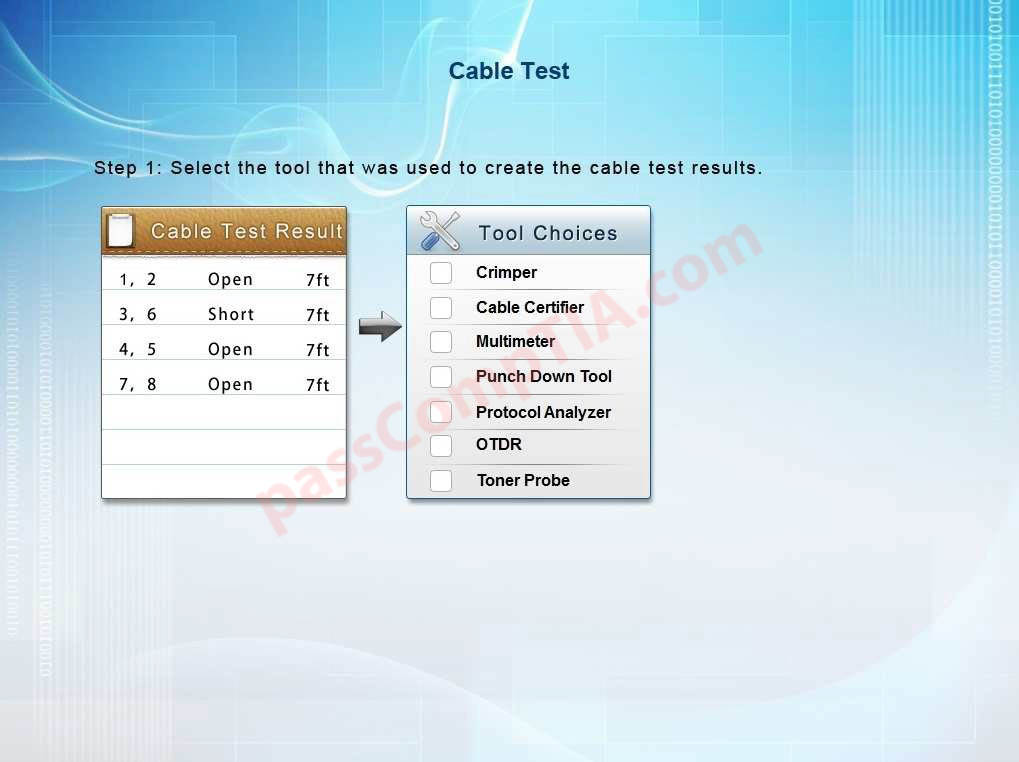
You have been tasked with testing a CAT5e cable. A summary of the test results can be found on the screen. Step 1: Select the tool that was used to create the cable test results.
Step 2: Interpret the test results and select the option that explains the results. After you are done with your analysis, click the ‘Submit Cable Test Analysis’ button.

CompTIA A+ Core 2 Question J-99
Peter, a technician, is tasked with installing Windows Vista on a new PC that came with Windows XP. He would like to preserve the data on the machine in case it is needed later. Which of the following installation methods would be MOST effective for him to use?
A. Image creation
B. Unattended installation
C. Clean install
D. In-place upgrade
CompTIA A+ Core 2 Question J-98
An administrator has taken steps to secure a SOHO wired network, but as a result the users report that they can no longer access the Internet but can still see other computers on the network. Which of the following would have caused this issue?
A. Port 80 has been disabled
B. Port 3389 has been enabled
C. MAC filtering has been enabled
D. LDAP has been disabled
CompTIA A+ Core 2 Question J-97
Phishing is:
A. An infection that causes a web browser to go to a different site than the one intended from a search result page.
B. A technique used to obtain financial information from a user mimicking a legitimate website.
C. An infection that causes a computer to behave erratically by playing music and launching browser windows.
D. A technique used to obtain financial information from a user by compiling information from social networks and their friends.
CompTIA A+ Core 2 Question J-96
After installing a new printer the organization determines that there are problems printing images and very large files. Which of the following will MOST likely resolve the issue?
A. Update the drivers using WHQL drivers
B. Install additional memory to each computer
C. Install additional memory to the printer
D. Apply the latest OS service pack
CompTIA A+ Core 2 Question J-95
Which of the following passwords is the MOST secure according to industry best practices?
A. VeryStrongPassword
B. SimpleAnswer1234
C. E@sy2Remember
D. thisisthecorrectanswer1
CompTIA A+ Core 2 Question J-94
Which of the following characteristics MOST separates a tablet from a laptop?
A. Lack of field serviceable parts
B. Lack of any storage medium
C. Lack of internal wireless
D. Lack of a touchscreen