CompTIA A+ Core 2 Question A-3

A technician is configuring wireless for a home office. The customer wants to prevent others from accessing the wireless network. The customer has a small number of devices on the network and does not want to have to remember a complicated password. Which of the following should the technician recommend?

A. Enable MAC filtering
B. Disable SSID broadcast
C. Assign static IP addresses
D. Turn on content filtering

Correct Answer: A

CompTIA A+ Core 2 Question A-1

A user’s email inbox is suddenly receiving dozens of rejection messages from various mail servers. Which of the following would the technician perform to BEST solve the issue?

A. Change the user’s email password.
B. Enable spam filtering on the email account.
C. Change the email account from POP to IMAP.
D. Disable the user’s email account.

Correct Answer: A

CompTIA A+ Simulation 7

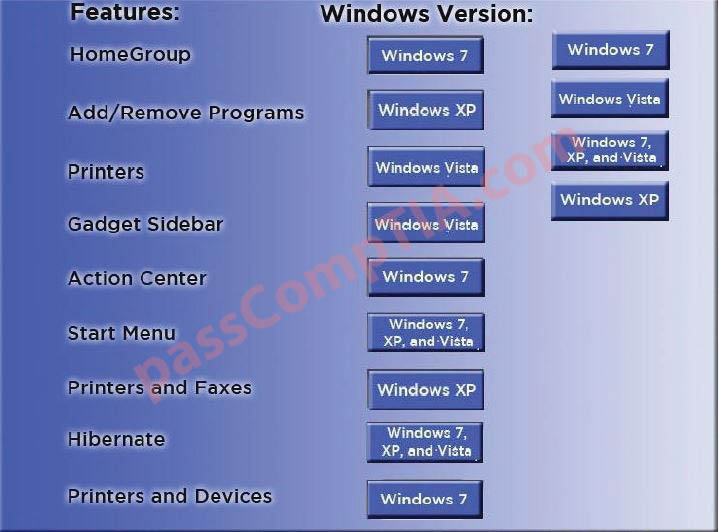
Drag and drop the following Windows 7 versions in order according to their feature-sets, from MOST to LEAST.

Correct Answer:

CompTIA A+ Simulation 6

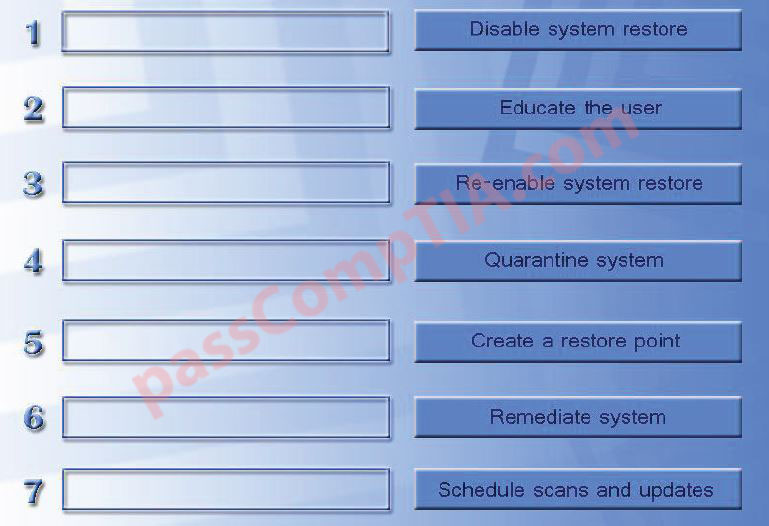
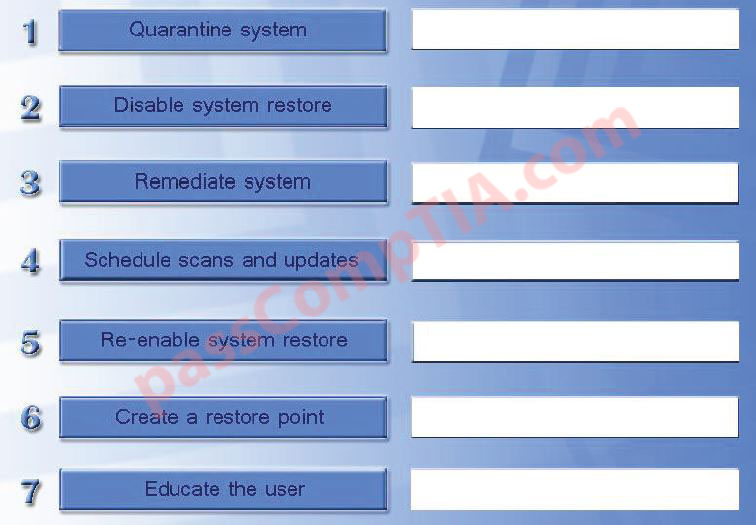
A technician has verified that a user has a malware infection on his desktop. Drag and drop the following malware remediation techniques in the correct order to alleviate this issue.

Correct Answer:

CompTIA A+ Simulation 5

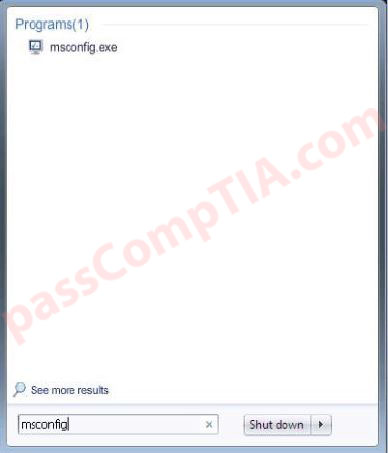
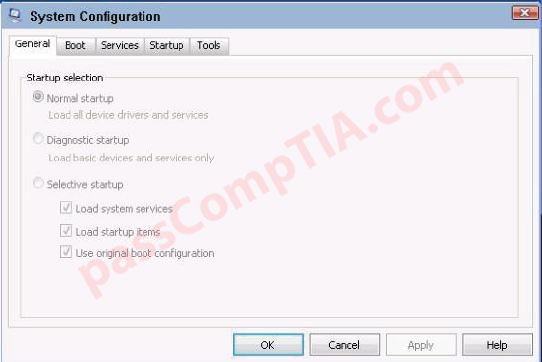
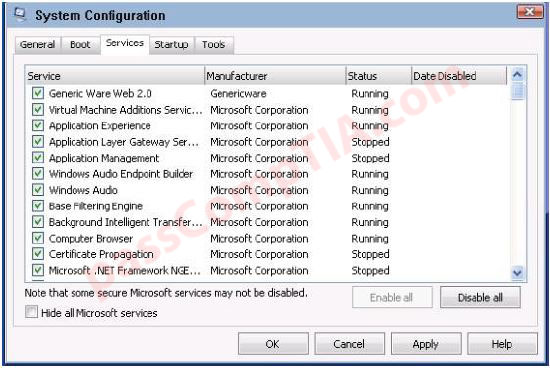
Two components of Genericware2.0 are causing performance issues on a Windows 7 PC. One Genencware2.0 component is currently not responding and needs to be disabled upon reboot. To prevent further performance issues ensure both components are no longer running upon reboot without making any other changes to the current system or without deleting registry keys or shortcuts. Instructions: When you have completed the simulation, please select the done button to submit your answer.

Correct Answer:

Step 1: Enter “msconfig”

Step 2: Select Services

Step 3: Uncheck “Generic Ware Web 2.0”

Final answer:

CompTIA A+ Simulation 4

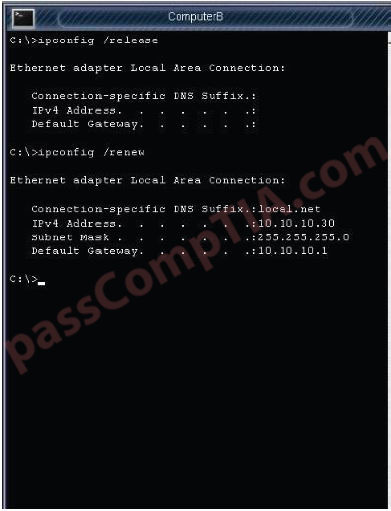
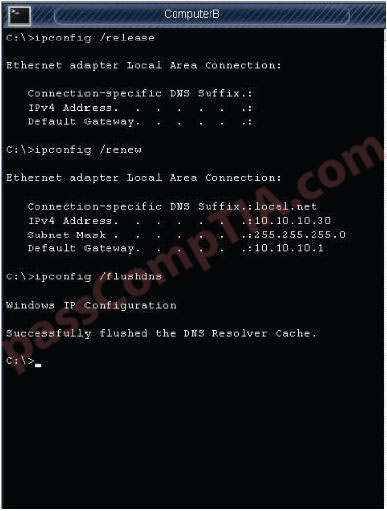
The network administrator has changed the IP address of Computer A from 192. 168. 120 to 10. 10. 1020 and now Jane a user, is unable to connect to file shares on Computer A from Computers using the computer name. Instructions: Using the available tools, resolve the connectivity issues. When you have completed the simulation, please select the done button to submit your answer.

Correct Answer:

Step 1: Enter “ipconfig /release”

Step 2: Enter “ipconfig /renew”

Step 3: Enter “ipconfig /flushdns”

CompTIA A+ Simulation 3

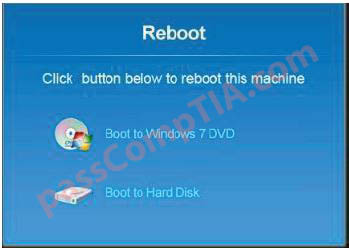
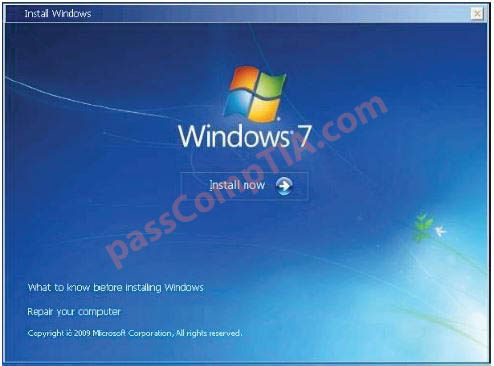
A Windows 7 machine appears to have a failure. Every time it is rebooted, the message “BOOTMGR is missing” appears. You have previously inserted a Windows 7 installation DVD into the DVD-ROM. Please repair this failure without overwriting the customers’ local user profiles.

Instructions:
– Launch the simulation to repair the failure
– Type Help in command line to show list of available commands
– When you have completed the simulation, please select the done button.

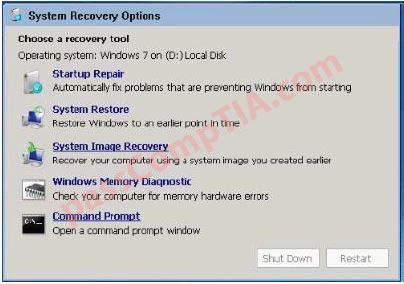
Correct Answer:


Step 1: Select Command Prompt


Step 2: Enter “bootrec /fixboot”

CompTIA A+ Simulation 2

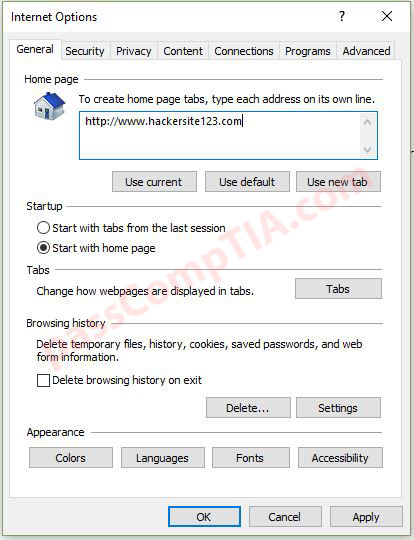
A technician has just removed malware from a Windows 7 system, but the user reports that every time they type a URL into Internet Explorer to navigate to a search engine the same standard page is being displayed on the browser. The page is asking the user to purchase antivirus software. Please resolve the problem using the available tools shown. When you have completed the simulation, please select the done button to submit your answer.

Correct Answer:

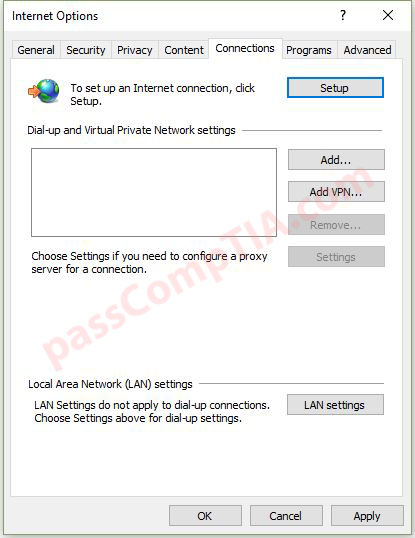
Step 1: Select Connections tab

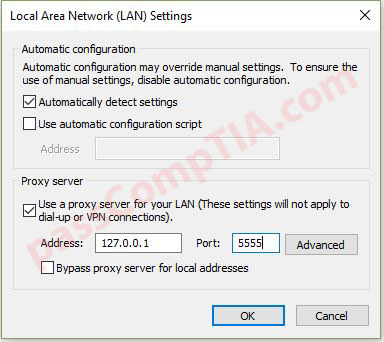
Step 2: Select LAN Settings

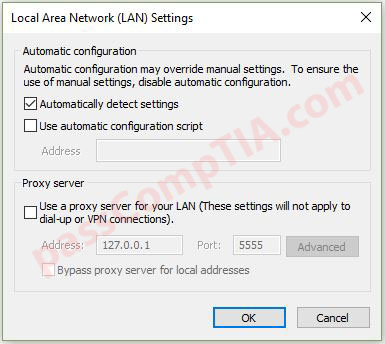
Step 3: Uncheck “Use a proxy server for your LAN”